Skip to content
Submission Guidelines
General Information
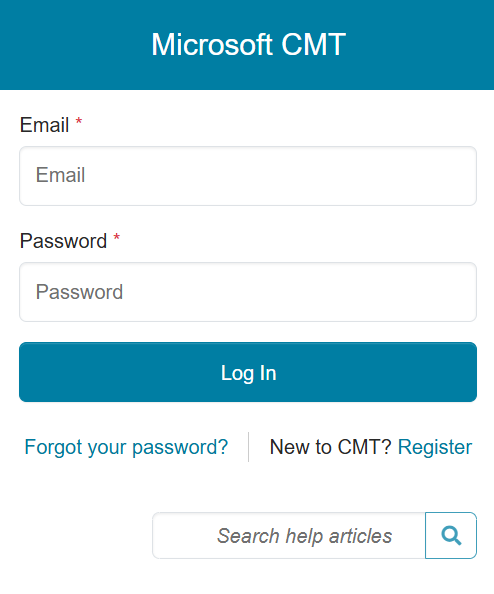
Go to the CMT submission site and register as an author. If you already have a CMT account, enter your credentials to access the site at log in.
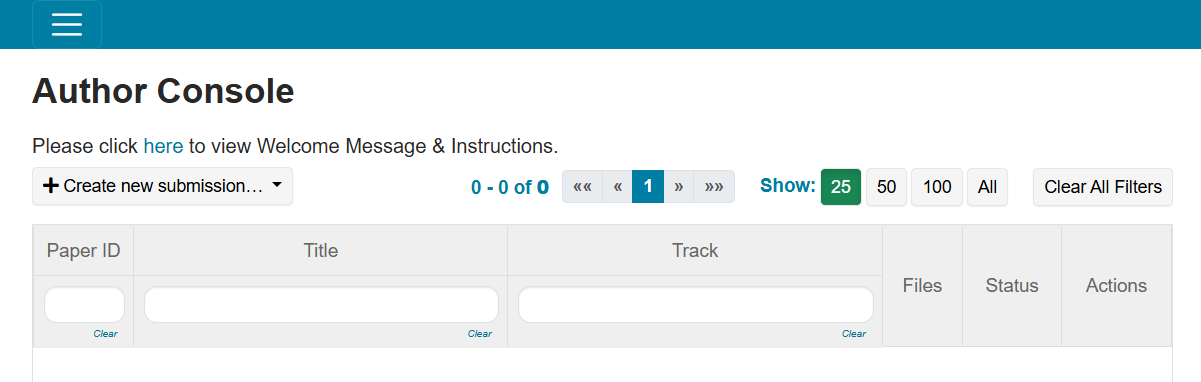
Once logged in, you will be brought to the “Author Console”. Click on the “+ Create new submission” button. The ‘Create New Submission’ page appears. On this page, authors may review the Welcome message and submission instructions, enter the title and abstract, add a list of coauthors, specify the Conflict of Interest with the TPC members and domains of institutions, select the subject
areas, upload the manuscript, and answer the required submission form questions. Required fields are marked with an <*> asterisk. Click the Submit or Cancel button to create or cancel a new submission. All required sections are further explained below.
Title
The Title field is for the title of the paper. Note, you are allowed to submit the Title without uploading file(s) when creating a submission. You can edit the submission subsequently to upload file(s) before paper deadline.
Authors
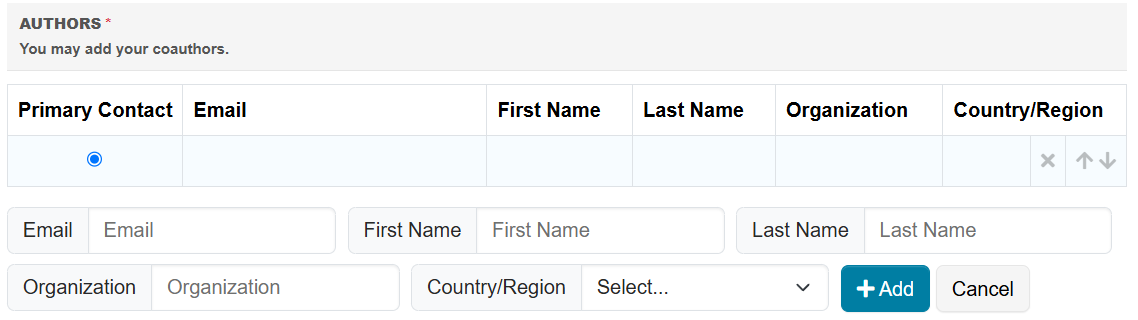
The Author section is prepopulated with your profile information and you are preselected as the Primary Contact. To add a co-author, enter the co-author’s email address into the field and click add. If the co-author is not a CMT user, you need to add a new user by entering the co-author information below and click the Add button.
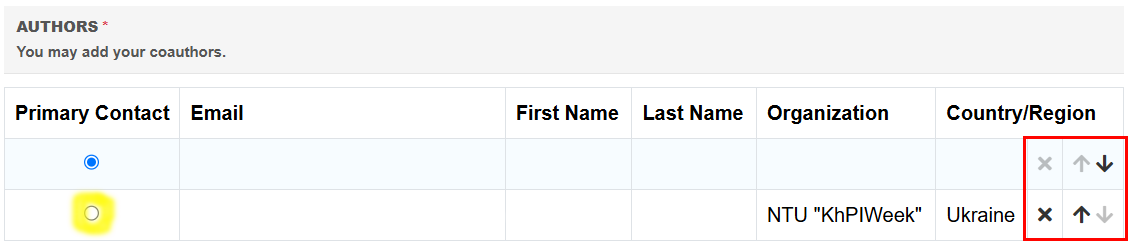
Once added, the co-author’s profile will appear in the list. You may change the Primary Contact to the co-author by clicking Primary Contact radio button in co-author’s row. The ‘X’ and ‘arrow’ icons on the end of the rows are there so you may delete the entry and/or move it up in hierarchy.
Subject Areas
Authors can select a Primary Subject Area and optional Secondary Subject Area.
Files
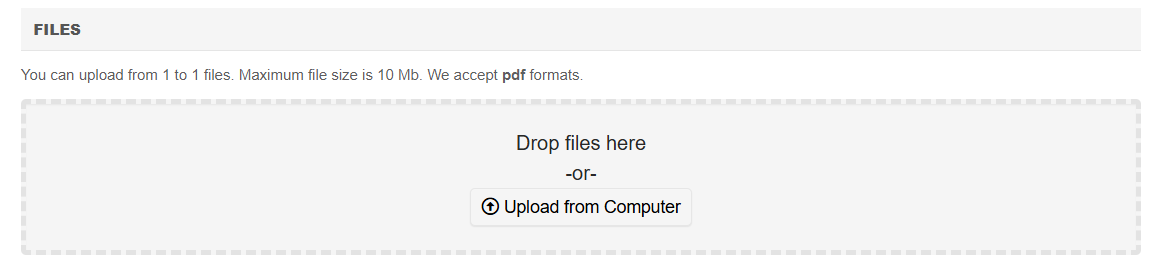
To upload file for your paper, drag and drop the file into the dotted region or click the “Upload from Computer” button. Please note you may upload file in PDF format with the size not exceeding 10MB. Uploaded file will not be saved unless the Submit button at the bottom of the form is clicked.
Conflicts of Interest
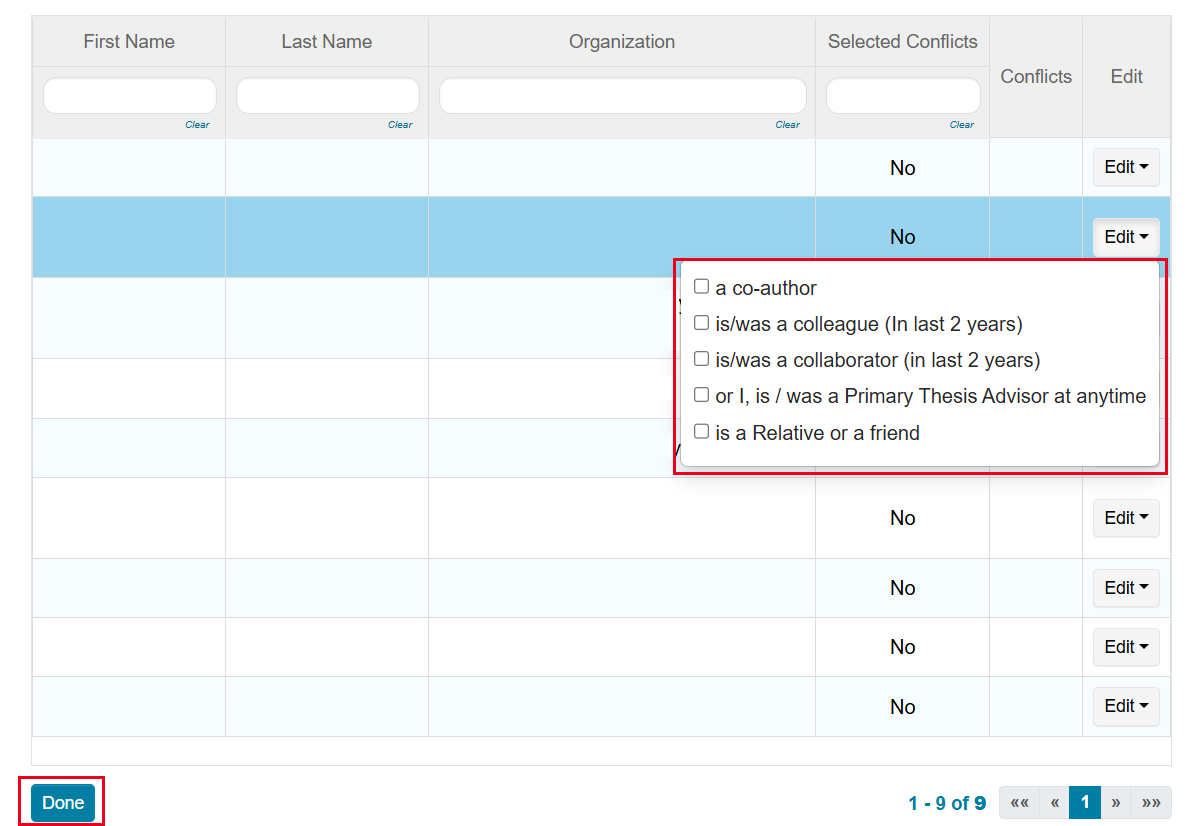
The ‘Edit Conflicts of Interest’ page will appear after submitting a paper. Edit this page by clicking on the “Edit” dropdown on the right and selecting all the appropriate boxes and click ‘Done.’ The Submission Summary page will then appear. On the Submission Summary page, you can print or email the summary to yourself or all authors by clicking on the “Print” or “Email” button on the right.
Well done. You successfully submited paper.
